Linktree for agencies

Every client’s
Linktree.
One login.

Linktree for agencies lets you update, report on and pitch your whole roster from one workspace. No need to switch client logins.

Growth or Scale. No client logins needed.

Three client Linktrees in one workspace, Yoon Noodle Co., Gochujae Sauce and Jae Yoon Kitchen, with 5.2k total clicks and 7.5k views

A bigger roster doesn’t mean more logins

One login for all accounts

Update all your clients’ Linktrees from one centralized login. No more saving passwords and switching accounts.

Reporting is simple

Reporting across all your clients is easy. Label each campaign and aggregate insights across your roster.

Save time, add value

Spend all the time you’ve saved on admin by adding value to your clients with insights exported into a deliverable report.

Manage your entire roster in one Workspace

One destination for everything

Update every client at once

Publish one link across your whole roster, then edit, schedule or remove it everywhere in one go.

  • Universal links across many Linktrees
  • Schedule, pin and archive in bulk
  • Duplicate a Linktree as a starting point
Universal Links in a workspace: Tickets 2027, Upcoming shows and Nebula, each live on several client Linktrees with their views, clicks and click rate
One easy login

The right access for everyone who touches the roster

Switch between client Linktrees, create new ones or request access to a client’s existing Linktree, all without swapping logins.

  • Request access to an existing Linktree and it shows up in your workspace when granted
  • Invite your team with the right role – billing owner, manager or member
  • View-only seats for clients and partner agencies (Scale plan only)
Assigning The Artists Partnership Linktree and inviting a team member by email with the Viewer role
Aggregate insights

See how every campaign is doing

Label Linktrees and links by campaign, store or vertical, then filter Aggregate Insights to see what needs attention.

  • Labels for campaigns, stores and verticals
  • Aggregate Insights across the roster
  • Connect ChatGPT, Claude or your MCP of choice
Client Linktrees for James Norton, Olivia Cooke and Frankie Corio, with Frankie’s views, clicks and click rate and a Dive deeper button
Deliver more client value

Turn the hours you save into a deliverable

Export Insights as a client-ready CSV or PDF report, and build pitch lists from your roster’s media kits.

  • CSV and PDF client reports
  • Pitch lists from roster media kits
  • See how often each pitch list is viewed
A pitch list of creator media kits, led by Maxine’s, marked 5 of 8 viewed

Set up your roster in minutes

  1. A client’s Linktree profile for Jae Yoon, “A taste for adventure”

    Step 1

    01. Start your free trial

    Open a workspace and try Growth or Scale for 14 days.
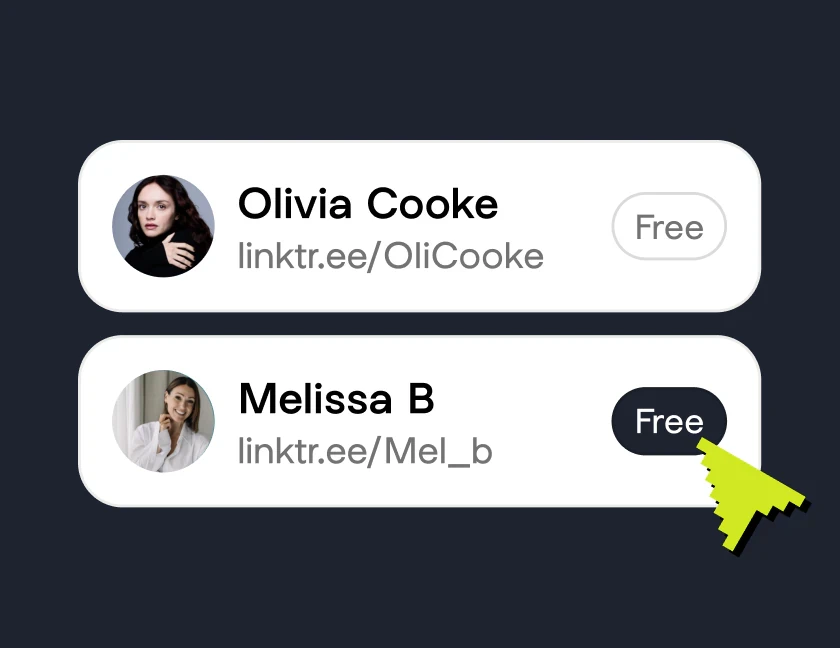
  2. Two client Linktrees, Olivia Cooke and Melissa B, being added to a workspace

    Step 2

    02. Add your roster

    Create new Linktrees, duplicate one as a starting point, or request access to a client’s existing Linktree.

  3. Campaign results for Jae Yoon Kitchen: 6K views, 3.5K clicks and a 77% click rate

    Step 3

    03. Run your first campaign

    Publish one link across the roster and track how it does with a label.

Run your whole roster from one workspace

Start your 14-day trial, bring in your clients’ Linktrees and invite your team.

Linktree for agencies questions, answered

Do I need a paid plan?
Yes. Workspaces is part of the Growth and Scale plans, and both start with a 14-day trial. See pricing for current plans.
What’s the difference between Growth and Scale?
Growth includes 9 Linktrees (1 Premium), universal links and bulk tools, Linktree duplication, Labels, Aggregate Insights, and billing owner, manager and member roles. Scale includes 50 Linktrees (5 Premium) and adds CSV and PDF export, the Media Kit roster and pitch lists, a view-only role and 10% off additional Premium Linktrees.
Do my clients have to hand over their login?
No. Request access to a client’s existing Linktree from your workspace, or create a new one for them, without swapping credentials.
Can I give clients visibility without letting them make changes?
Yes, on the Scale plan. The view-only role gives clients and partner agencies visibility into performance without control of the Linktrees.
Can I report on a campaign across my roster?
Yes. Label your Linktrees and links, for example by campaign, store or vertical, then filter Aggregate Insights by label. The Scale plan adds CSV and PDF export so you can send the report to a client.
What happens when my trial ends?
Your trial runs for 14 days. Depending on how you started, your plan either starts automatically, or you add a payment method or choose a plan to keep your workspace.
We have a larger roster. What are our options?
Enterprise has no Linktree limit and includes custom Premium Linktree pricing, dedicated support, custom contracts and white glove onboarding. Use the Enterprise contact form to talk it through.